


Mocking is an essential part of unit testing, and the Mockito library makes it easy to write clean and intuitive unit tests for your Java code.
Get started with mocking and improve your application tests using our Mockito guide:
Handling concurrency in an application can be a tricky process with many potential pitfalls. A solid grasp of the fundamentals will go a long way to help minimize these issues.
Get started with understanding multi-threaded applications with our Java Concurrency guide:
Spring 5 added support for reactive programming with the Spring WebFlux module, which has been improved upon ever since. Get started with the Reactor project basics and reactive programming in Spring Boot:
Since its introduction in Java 8, the Stream API has become a staple of Java development. The basic operations like iterating, filtering, mapping sequences of elements are deceptively simple to use.
But these can also be overused and fall into some common pitfalls.
To get a better understanding on how Streams work and how to combine them with other language features, check out our guide to Java Streams:
Explore Spring Boot 3 and Spring 6 in-depth through building a full REST API with the framework:
Yes, Spring Security can be complex, from the more advanced functionality within the Core to the deep OAuth support in the framework.
I built the security material as two full courses - Core and OAuth, to get practical with these more complex scenarios. We explore when and how to use each feature and code through it on the backing project.
You can explore the course here:
Spring Data JPA is a great way to handle the complexity of JPA with the powerful simplicity of Spring Boot.
Get started with Spring Data JPA through the guided reference course:
Refactor Java code safely — and automatically — with OpenRewrite.
Refactoring big codebases by hand is slow, risky, and easy to put off. That’s where OpenRewrite comes in. The open-source framework for large-scale, automated code transformations helps teams modernize safely and consistently.
Each month, the creators and maintainers of OpenRewrite at Moderne run live, hands-on training sessions — one for newcomers and one for experienced users. You’ll see how recipes work, how to apply them across projects, and how to modernize code with confidence.
Join the next session, bring your questions, and learn how to automate the kind of work that usually eats your sprint time.
Distributed systems often come with complex challenges such as service-to-service communication, state management, asynchronous messaging, security, and more.
Dapr (Distributed Application Runtime) provides a set of APIs and building blocks to address these challenges, abstracting away infrastructure so we can focus on business logic.
In this tutorial, we'll focus on Dapr's pub/sub API for message brokering. Using its Spring Boot integration, we'll simplify the creation of a loosely coupled, portable, and easily testable pub/sub messaging system:
1. Overview
OrientDB is an open source Multi-Model NoSQL database technology designed to work with the Graph, Document, Key-Value, GeoSpatial and Reactive models while managing queries with SQL syntax.
In this article, we’ll cover the setup and use the OrientDB Java APIs.
2. Installation
Firstly, we need to install the binary package.
Let’s download the latest stable version of OrientDB (2.2.x at the point of writing this article).
Secondly, we need to unzip it and move its content to a convenient directory (using ORIENTDB_HOME). Please make sure to add the bin folder to the environment variables for any easy command-line use.
Finally, we need to edit the orientdb.sh file located in $ORIENTDB_HOME/bin by filling the location (ORIENTDB_HOME) of OrientDB directory in the place of ORIENTDB_DIR and also the system user we’d like to use instead of USER_YOU_WANT_ORIENTDB_RUN_WITH.
Now we’ve got a fully working OrientDB. We can use the orientdb.sh <option> script with options:
- start: to start the server
-
status: to check the status
- stop: to stop the server
Please note that both start and stop actions require the user password (the one we set up in the orientdb.sh file).
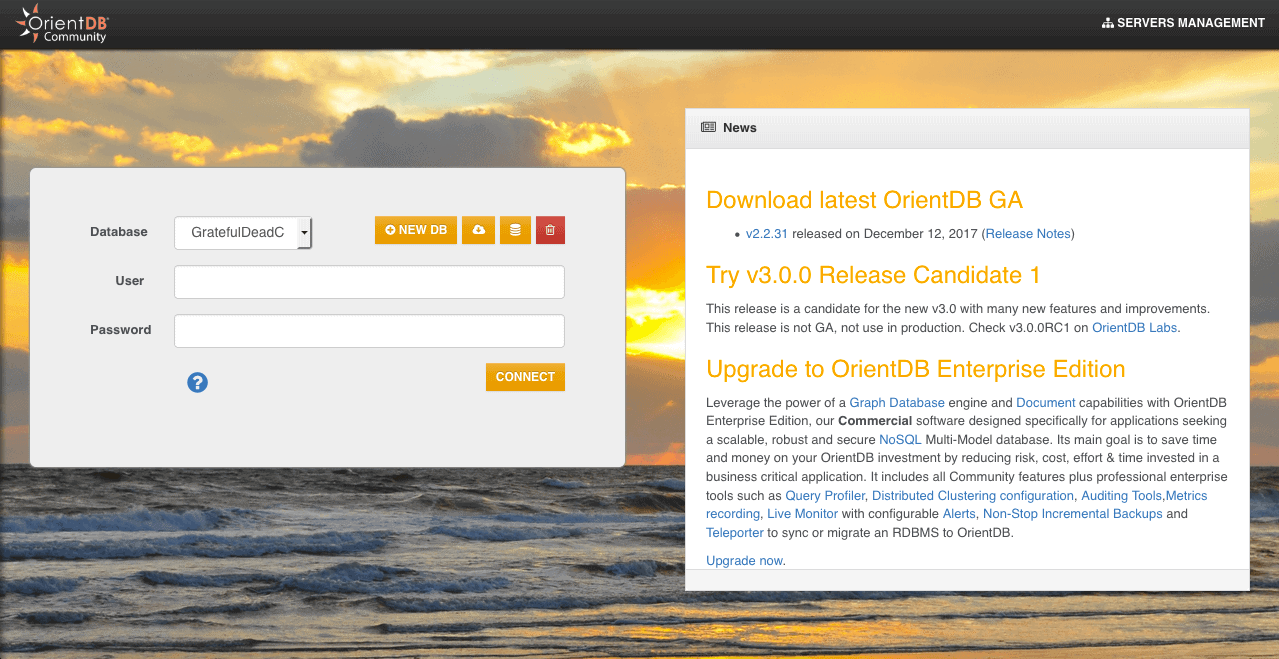
Once the server is launched, it’ll occupy the port 2480. Therefore we can access it locally using this URL:
More details of manual installation can be found here.
Note: OrientDB requires Java version 1.7 or higher.
Previous versions are available here.
3. OrientDB Java APIs Setup
The OrientDB allows Java developers to work with three different APIs such as:
- Graph API – graph databases
- Document API – document-oriented databases
- Object API – objects that are bound directly to OrientDB Document
We can use all those types within a single codebase just by integrating and using OrientDB.
Let’s have a look at some available jars we can include in the classpath of the project:
- orientdb-core-*.jar: brings the core library
- blueprints-core-*.jar: to bring the adapters core components
- orientdb-graphdb-*.jar: gives the Graph database API
- orientdb-object-*.jar: furnishes the Object database API
- orientdb-distributed-*.jar: provides the distributed database plugin to work with a server cluster
- orientdb-tools-*.jar: hands over the console command
- orientdb-client-*.jar: provides the remote client
- orientdb-enterprise-*.jar: enables the protocol and network classes shared by the client and server
The two last ones are required only if we’re managing our data on a remote server.
Let’s start with a Maven project and use the following dependencies:
<dependency>
    <groupId>com.orientechnologies</groupId>
    <artifactId>orientdb-core</artifactId>
    <version>2.2.31</version>
</dependency>
<dependency>
    <groupId>com.orientechnologies</groupId>
    <artifactId>orientdb-graphdb</artifactId>
    <version>2.2.31</version>
</dependency>
<dependency>
    <groupId>com.orientechnologies</groupId>
    <artifactId>orientdb-object</artifactId>
    <version>2.2.31</version>
</dependency>
<dependency>
    <groupId>com.tinkerpop.blueprints</groupId>
    <artifactId>blueprints-core</artifactId>
    <version>2.6.0</version>
</dependency>
Please check the Maven Central repository for the latest versions of OrientDB’s Core, GraphDB, Object APIs and the Blueprints-Core.
4. Usage
The OrientDB is using the TinkerPop Blueprints implementation for working with graphs.
TinkerPop is a Graph Computing Framework providing many ways of building graph databases, where each of them has its implementations:
Moreover, OrientDB allows to work with the three kinds of Schemas regardless the type of API:
- Schema-Full – strict mode is enabled, so all the fields are specified during class creation
- Schema-Less – classes are created with no specific property, so we can add them as we want; it’s the default mode
- Schema-Hybrid – it’s the mix of schema-full and schema-less where we can create a class with pre-defined fields but let the record to define other custom ones
4.1. Graph API
Since this is a graph-based database, data is represented as a network containing Vertices (nodes) interconnected by Edges (arcs).
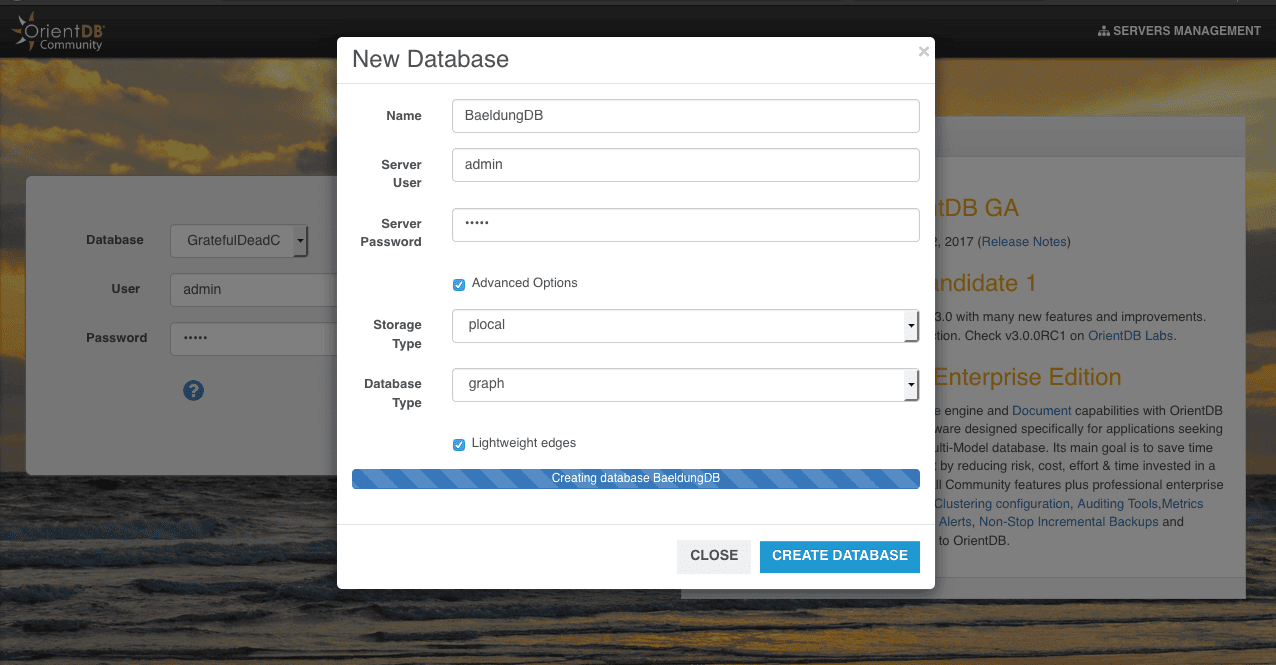
As a first step, let’s use the UI to create a Graph database called BaeldungDB with a user admin and password admin.
As we see in the subsequent image, the graph has been selected as database type, so consequently its data will be accessible in the GRAPH Tab:
Let’s now connect to the desired database, knowing that the ORIENTDB_HOME is an environment variable that corresponds to the installation folder of OrientDB:
@BeforeClass
public static void setup() {
    String orientDBFolder = System.getenv("ORIENTDB_HOME");
    graph = new OrientGraphNoTx("plocal:" + orientDBFolder +
      "/databases/BaeldungDB", "admin", "admin");
}
Let’s initiate the Article, Author, and Editor classes – while showing how to add validation to their fields:
@BeforeClass
public static void init() {
    graph.createVertexType("Article");

    OrientVertexType writerType
      = graph.createVertexType("Writer");
    writerType.setStrictMode(true);
    writerType.createProperty("firstName", OType.STRING);
    // ...

    OrientVertexType authorType
      = graph.createVertexType("Author", "Writer");
    authorType.createProperty("level", OType.INTEGER).setMax("3");

    OrientVertexType editorType
      = graph.createVertexType("Editor", "Writer");
    editorType.createProperty("level", OType.INTEGER).setMin("3");

    Vertex vEditor = graph.addVertex("class:Editor");
    vEditor.setProperty("firstName", "Maxim");
    // ...

    Vertex vAuthor = graph.addVertex("class:Author");
    vAuthor.setProperty("firstName", "Jerome");
    // ...

    Vertex vArticle = graph.addVertex("class:Article");
    vArticle.setProperty("title", "Introduction to ...");
    // ...

    graph.addEdge(null, vAuthor, vEditor, "has");
    graph.addEdge(null, vAuthor, vArticle, "wrote");
}
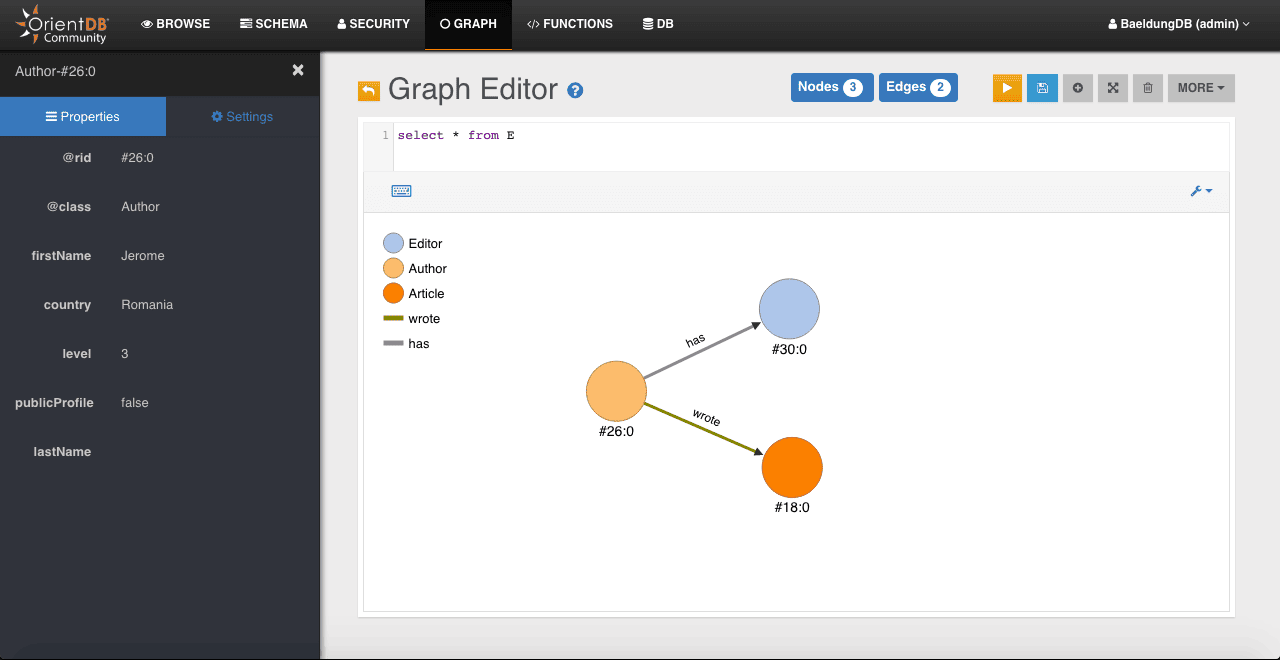
In the code snippet above, we made a simple representation of our simple database where:
- Article is the schema-less class that contains articles
- Writer is a schema-full super-class that holds necessary writer information
- Writer is a sub-type of Author that holds its details
- Editor is a schema-less sub-type of Writer that holds editor details
- lastName field hasn’t been filled in the saved author but still appears on the following graph
- we have a relation between all classes: an Author can write Article and needs to have an Editor
- Vertex represents an entity with some fields
- Edge is an entity that links two Vertices
Please note that by trying to add another property to an object of a full class we’ll end up with the OValidationException.
After connecting to our database using OrientDB studio, we’ll see the graph representation of our data:
Let’s see how to have the number of all records (vertices) of the database:
long size = graph.countVertices();Now, let’s show just the number of Writer (Author & Editor) objects:
@Test
public void givenBaeldungDB_checkWeHaveTwoWriters() {
    long size = graph.countVertices("Writer");

    assertEquals(2, size);
}
In the next step, we can find all Writer‘s data, using the following statement:
Iterable<Vertex> writers = graph.getVerticesOfClass("Writer");Finally, let’s query for all Editor‘s with level 7; here we only have one that matches:
@Test
public void givenBaeldungDB_getEditorWithLevelSeven() {
    String onlyEditor = "";
    for(Vertex v : graph.getVertices("Editor.level", 7)) {
        onlyEditor = v.getProperty("firstName").toString();
    }

    assertEquals("Maxim", onlyEditor);
}
The class name is always specified to look for a specific vertice when requesting. We can find more details here.
4.2. Document API
Next option is to use the OrientDB’s Document model. This exposes data manipulation via a simple record with information stored in fields where the type could be text, picture or a binary form.
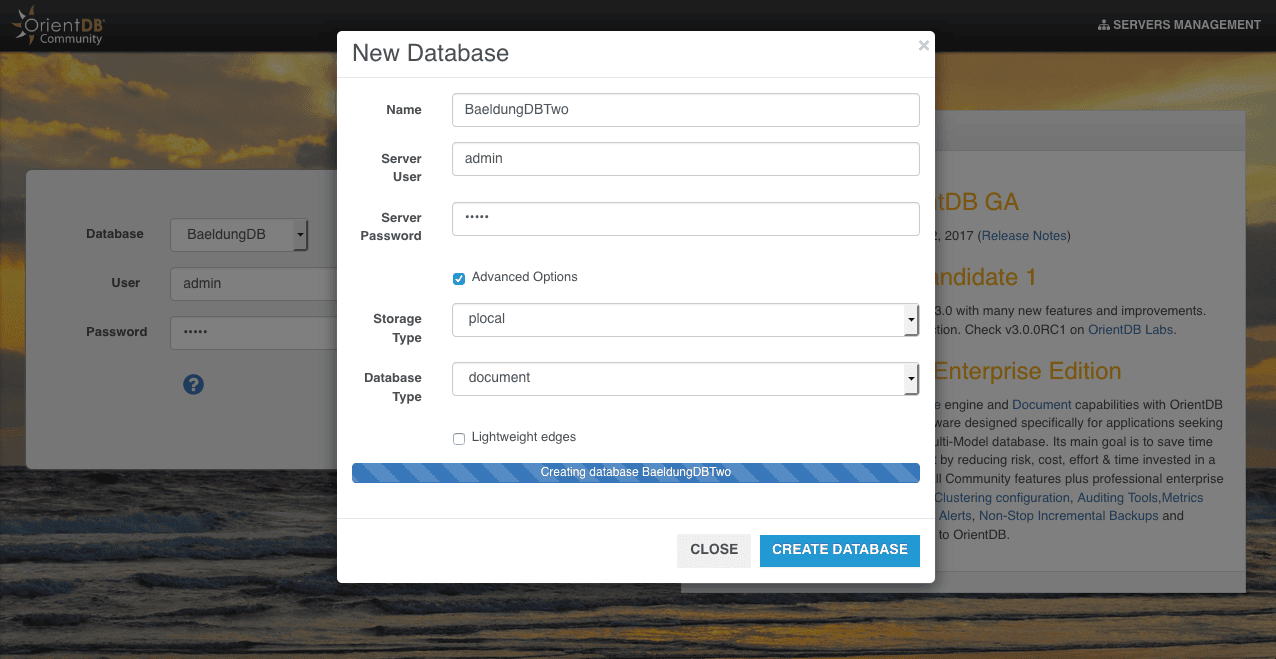
Let’s use the UI again to create a database named BaeldungDBTwo, but now with a document as type:
Note: likewise this API also can be used either in schema-full, schema-less or schema-hybrid mode.
The database connection remains straightforward as we just need to instantiate an ODatabaseDocumentTx object, provide the database URL and the database user’s credentials:
@BeforeClass
public static void setup() {
    String orientDBFolder = System.getenv("ORIENTDB_HOME");
    db = new ODatabaseDocumentTx("plocal:"
      + orientDBFolder + "/databases/BaeldungDBTwo")
      .open("admin", "admin");
}
Let’s start with saving a simple document that holds an Author information.
Here we can see that the class has been automatically created:
@Test
public void givenDB_whenSavingDocument_thenClassIsAutoCreated() {
    ODocument doc = new ODocument("Author");
    doc.field("name", "Paul");
    doc.save();

    assertEquals("Author", doc.getSchemaClass().getName());
}
Accordingly, to count the number of Authors, we can use:
long size = db.countClass("Author");Let’s query documents again using a field value, to search for the Author‘s objects with level 7:
@Test
public void givenDB_whenSavingAuthors_thenWeGetOnesWithLevelSeven() {
    for (ODocument author : db.browseClass("Author")) author.delete();

    ODocument authorOne = new ODocument("Author");
    authorOne.field("firstName", "Leo");
    authorOne.field("level", 7);
    authorOne.save();

    ODocument authorTwo = new ODocument("Author");
    authorTwo.field("firstName", "Lucien");
    authorTwo.field("level", 9);
    authorTwo.save();

    List<ODocument> result = db.query(
      new OSQLSynchQuery<ODocument>("select * from Author where level = 7"));

    assertEquals(1, result.size());
}
Likewise, to delete all the records of Author class, we can use:
for (ODocument author : db.browseClass("Author")) {
    author.delete();
}
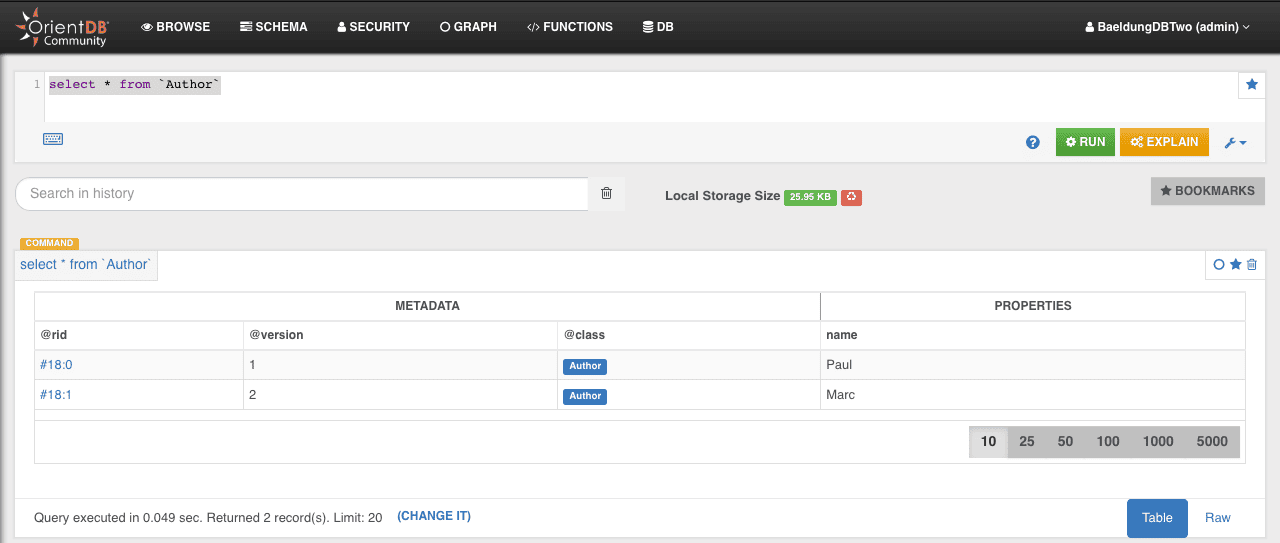
On the OrientDB studio’s BROWSE Tab we can make a query to get all our Author’s objects:
4.3. Object API
OrientDB doesn’t have the object type of database. Thus, the Object API is relying on a Document database.
In Object API type, all other concepts remain the same with only one addition – binding to POJO.
Let’s start by connecting to the BaeldungDBThree by using the OObjectDatabaseTx class:
@BeforeClass
public static void setup() {
    String orientDBFolder = System.getenv("ORIENTDB_HOME");
    db = new OObjectDatabaseTx("plocal:"
      + orientDBFolder + "/databases/BaeldungDBThree")
      .open("admin", "admin");
}
Next, by assuming that the Author is the POJO used to hold an Author data, we need to register it:
db.getEntityManager().registerEntityClass(Author.class);Author has getters and setters for the following fields:
- firstName
- lastName
- level
Let’s create an Author with multi-line instructions if we acknowledged a no-arg constructor:
Author author = db.newInstance(Author.class);
author.setFirstName("Luke");
author.setLastName("Sky");
author.setLevel(9);
db.save(author);
On the other hand, if we’ve another constructor that takes the firstName, lastName, and level of the Author respectively, the instantiation is just one line:
Author author = db.newInstance(Author.class, "Luke", "Sky", 9);
db.save(author);
The following lines are using to browse and delete all the records of Author class:
for (Author author : db.browseClass(Author.class)) {
    db.delete(author);
}
To count all authors we just have to provide the class and the database instance without the need to write an SQL query:
long authorsCount = db.countClass(Author.class);Similarly, we query authors with level 7 like so:
@Test
public void givenDB_whenSavingAuthors_thenWeGetOnesWithLevelSeven() {
    for (Author author : db.browseClass(Author.class)) {
        db.delete(author);
    }

    Author authorOne
      = db.newInstance(Author.class, "Leo", "Marta", 7);
    db.save(authorOne);

    Author authorTwo
      = db.newInstance(Author.class, "Lucien", "Aurelien", 9);
    db.save(authorTwo);

    List<Author> result
      = db.query(new OSQLSynchQuery<Author>(
      "select * from Author where level = 7"));

    assertEquals(1, result.size());
}
Finally, this is the official guide that introduces some advanced Object API uses.
5. Conclusion
In this article, we’ve seen how to use OrientDB as a database management system with its Java APIs. We also learned how to add validation on the fields and write some simple queries.

















